Clock
Alongside all of its lilting gestures and invitations for direct in-the-moment touch, Atrium holds a simple, reliable sense of metronomic time.
Default Usage
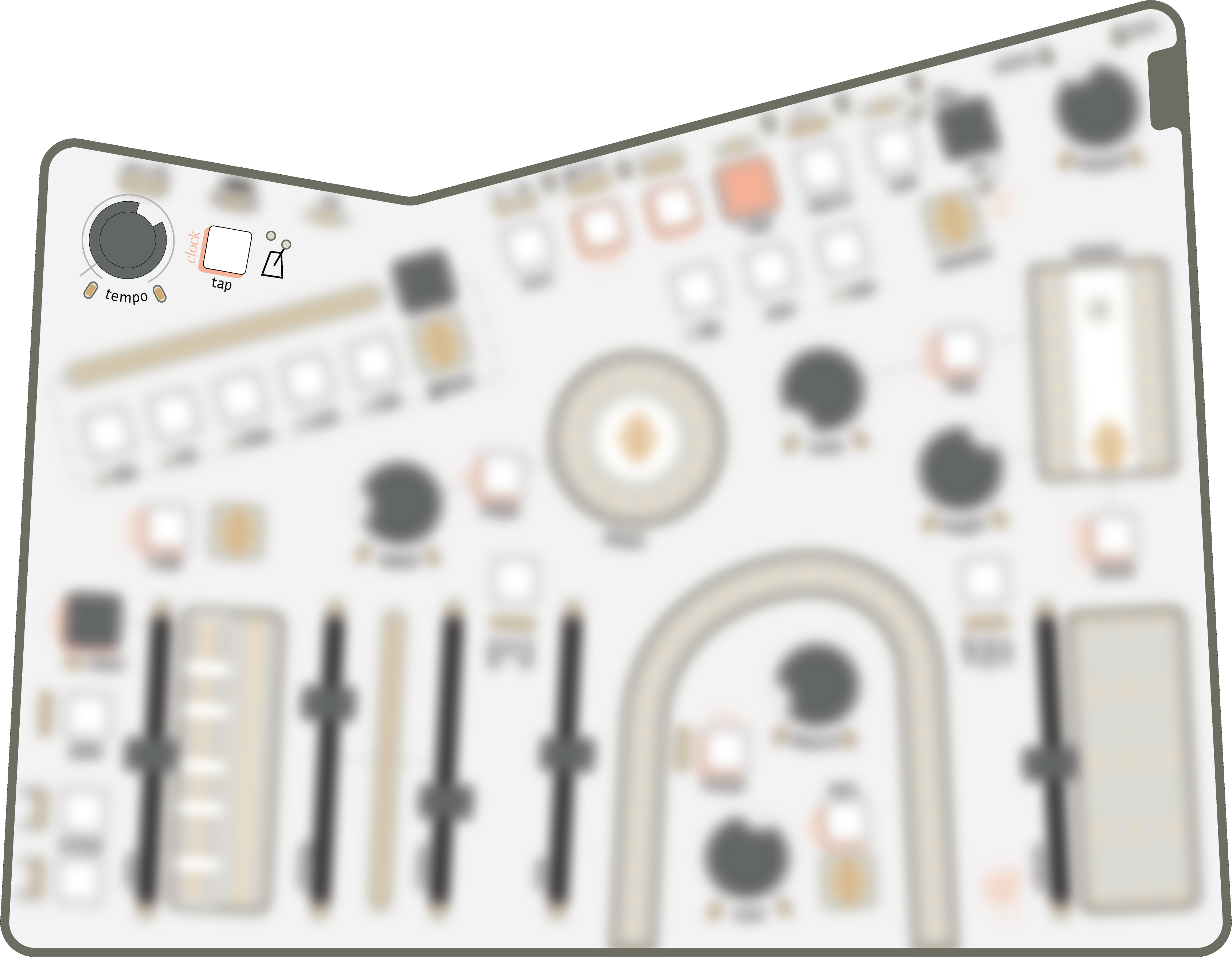
Control the clock rate, and its cute little metronome, with the tempo knob. The range swings from 40bpm up to 640bpm. There's a small region at the counter-clockwise end where the clock is stopped entirely.
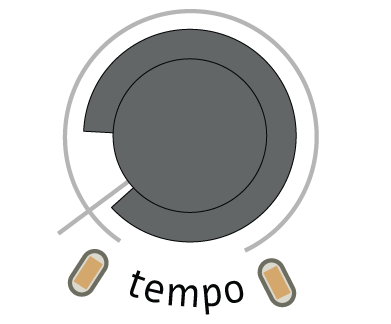
Note the line on the panel, to the left of tempo. If you can see the inner line, you're in the "deadzone", which freezes the clock.
Atrium's clock has two baked-in default purposes:
- Control recording & playback speed of gestures.
- Drive the arpeggiator embedded in the Scale Editor.
'Sync' Mode
Atrium's clock can drive a selection of timing parameters, with division or multiplication for each:
- lfo's speed, for phase-aligned clocked modulation
- spectre's time, for beat-synced delays
- contour's length, for quantized envelope cycles
Enable & Disable
To enable 'sync' mode for the timing parameters listed above:
- Hold tap and you'll see lights by each parameter's knob
- left & steady: not sync'd
- right & pulsing: sync'd
- To enable 'sync' mode on a parameter, turn its knob a little to the right.
- To disable 'sync' mode on a parameter, turn its knob a little to the left.
- Release tap to exit.
Once 'sync' mode is enabled on a timing parameter, its knob becomes a clock multiplier & divider. The ratios, counter-clockwise (slower) to clockwise (faster), are:
- 1/4
- 1/3
- 1/2
- 2/3
- 1 (at noon)
- 3/2
- 2
- 3
- 4
The lights at each knob's limits will shift their balance left-to-right as you select different ratios, with both lights at equal power when at noon. While perhaps hard to read in the absolute, they will give you a sense of the range, and each step is visible as you rotate.
Gesture Syncing Shortcut
Atrium's gestures are inherently unquantized and play back asynchronously, but we can enable tight synchronization by enabling their len and beat modifiers. As you explore 'sync' mode, you may find yourself wanting to enable these two modifiers on every gesture, so your hand-played modulation keeps in time with your newly-sync'd modulators. This can add up to a lot of button presses though, so Atrium offers a shortcut to quickly enable these:
- Hold tap and you'll see lights by each of the five gesture keys.
- low & steady: len and beat are inactive (not sync'd)
- bright & pulsing: len and beat are both active (sync'd)
- To change the 'sync' mode for a gesture, tap the corresponding key (1-5).
- Release tap to exit.
Mappings
Beyond clock's default usage, there are no pre-determined routings — it's up to the player to decide! To help kickstart your imagination, some favourite mappings include:
- Plucking sustain while cycling through drone snapshots
- Advancing sequences like lens, or toggling loop
- Adding bursts of binary modulation jumps to the timbral controls
And, of course, the clock can be mapped to another modulation source. Control loops (eg. mapping clock to lens while freqs increases tempo in return) can yield predictably unpredictable results. However, since the clock is a core component of gesture's playback, changes to tempo are not currently able to be recorded as part of a gesture.
We love mapping lfo to tap & sustain and then sync'ing the lfo. Feeding modulators back into themselves through these intermediaries (eg. the tempo is driven by the lfo, but also the lfo is sync'd to the clock) create patterns of 'steps', which are just phase resets between the modulators.
The clock can be overridden or transmitted via MIDI, as described in the dedicated MIDI section.
Manual tap-tempo
To set the tempo by feel, you can tap the tap key next to the tempo knob. Four consecutive taps with a roughly consistent tempo will set a new BPM, with a range of 30bpm (taps every 2 seconds) to 6000bpm (taps every 10ms).
Once tap-tempo has taken over, the tempo knob will shift to control divisions and multiplications of the tapped tempo. You'll see both lights at the tempo edges illuminate to indicate you've arrived. The ratios, counter-clockwise (slower) to clockwise (faster), are:
- 1/4
- 1/3
- 1/2
- 2/3
- 1 (at noon)
- 3/2
- 2
- 3
- 4
The lights at tempo's limits will shift their balance left-to-right as you select different ratios. While hard to read in the absolute, they will give you a sense of the range, and each step is visible as you rotate.
Note that these divisions and multiplications affect the frequency of clock's modulation signal, but the baseline tempo you tap in remains static. In other words, the tapped-tempo value which is broadcast over MIDI and is used as the baseline for 'sync' mode does not change with the tempo knob, but timing of parameters which are mapped to clock (including the Scale Editor's arpeggiator) will change.
To clear tap-tempo, hold clear and press the tap key. This will return you to the normal tempo state which may have changed dramatically if you altered the clock ratio!
Modulated tap-tempo
A patch's sense of time can often come from a modulator – a perfectly-cycling contour or a just-right lfo can endow temporal movement that a steady tick simply couldn't have inspired. To celebrate and support these discoveries, Atrium can invert tempo's assumed status as the leader by allowing its tap key to be mapped from modulators.
To set the tempo from a modulator:
- Engage mapping for a modulation source
- Press the tap key to assign the source to "press" the key
- Exit mapping and allow the modulator to emit four consecutive taps
- Et voilà, tempo is now being driven by your modulator!
This workflow is perfect for those wishing to drive Atrium's clock from external control voltage!
This mapping automates taps, so the notes in the 'Manual tap-tempo' section above still apply to modulated tap-tempo:
- Modulators must provide four consecutive taps with a roughly consistent tempo to set a new BPM. In other words, expect that modulators with irregular timings will have their taps averaged, rather than result in a jumpy clock.
- Since tap-tempo has a lower-threshold of 2 seconds between taps, note that modulators cycling slower than 2 seconds will not register a new tempo.
- If you clear the tap-tempo, your modulator will still be tapping unless you go through and clear tap's mapping, which can be used to creative effect.
- The divisions and multiplications provided by the tempo knob affect the frequency of clock's modulation signal, but the baseline tempo you tap in remains static.